There are 30 Companies in Minsk
that provide UX/UI Design Services!
Minsk, the capital of Belarus, is a city on the rise in the tech world. With a strong focus on software development, mobile app development, and gaming, it has the potential to become a major player in the global technology landscape.
Discover Top IT Companies in Minsk specialized in UX/UI Design including Usability Testing, User Research, UX Strategy and more.
Have you ever noticed how some websites and apps just feel easier to use than others? - That's because of the UX/UI design - basically, the people who make sure everything looks good and is easy to navigate. UX/UI design services are closely connected, but they are not the same.
UI (user interface) design concentrates on visual elements. It is all about how things look and work on a product, like colors, fonts, and buttons. UX (user experience) refers to the overall experience a person has with a product – how easy it is to use the product, how it makes the user feel, and whether it is possible to easily get what is needed from it.
Handpicked companies • No obligation to hire • 100% risk-free
Featured Companies in Minsk
This month, the following UX/UI Design companies managed to provide an outstanding service and support. It's worth taking a look.
Human-first software studio crafting web, mobile & AI products for companies ready to grow — from idea to launch. Your IT partner, not a usual vendor.
Explore Top UX/UI Design Companies in Minsk
Your business will be successful with us.
Services:
We Build Software That Scales
The Collaboratory. A place where initiative meets inquisitiveness.
Senior-led white-label Figma design for agencies: websites, SaaS products, dashboards and design systems.
Custom web development
Tech that works for you, not the other way around! Custom Digital Solutions by Avori.

🚀 Since 2007, Qmedia builds websites, apps & services for business. We dive into your goals, automate processes, and deliver results.
REDNAVIS is an up-and-coming web and mobile development company with a representative office in Wyoming (USA) and development center in Minsk (Belarus...
Artezio is an ISO 9001:2015 certified software development company. Since establishment in 2000, Artezio has completed over 1000 projects for its inte...
Omertex is a Minsk-based technology solutions provider for small and large businesses to address complex business challenges. We provide solutions by...
Simple Solutions provides its customers with the whole range of services in IT sphere and offers development of startups, CRM and ERP systems, portals...

Overview Enkode is the pioneering software development agency for startups. Our mission is helping startups through the challenges of development in...

Leader in web & mobile apps development industry. For 15 years we have been providing full range of services for the development, implementation...
Belarus HTP resident. Dynamically growing company providing services in the analysis, design and development of information systems.Since founding, th...
Tapston (Tapston Development, LLC) is a reliable partner for the development of custom software: mobile and web applications, integrated systems, and...
Arateg is an award-winning custom software development company that helps startups and SMEs meet business-specific needs by delivering blockchain, big...

Jazz Pixels is a multidisciplinary product development boutique at the intersection of Research, Design and Technology. Company provide customers with...
Founded in 2014, Start Matter is a successful custom software development company. Our specialization is web and mobile development for early-stage st...

We are the team of enthusiastic professionals focused on strategically and creatively driven innovative digital solutions. We have extensive experien...
Services:

Since 2010, we have passed a difficult and interesting path from small studio that was engaged in website development to full-fledged IT Company. The...

Our company consists of the masterminds who provide full services for successful business development and promotion. We are able to cope with any pro...
Services:
- 1
- 2
Filter UX/UI Design Companies in Cities near Minsk
Find the right tech company near you or from a specific city. Some of the best companies might be located in smaller cities.
Find more UX/UI Design companies around the world
TechBehemoths is the world's most advanced and user-friendly platform to match IT Companies with real clients without hustle.
An Overview of the Minsk Tech Industry
Minsk, the capital of Belarus, is a city on the rise in the tech world. With a strong focus on software development, mobile app development, and gaming, it has the potential to become a major player in the global technology landscape.
The city is home to the Belarus Hi-Tech Park (HTP), a Belarusian analog of the US Silicon Valley. More exactly, it is a special economic zone that offers some tax and other benefits to IT companies. It hosts over 300 companies, including some of the largest ones in Belarus, such as EPAM Systems, Wargaming, and IBA Group.
Minsk also has a number of other tech hubs like Minsk City Technopark and the Zybitskaya Street tech district that are home to small businesses, startups, and established companies from Belarus.
Much more than that, in recent years, Minsk has had a number of foreign technology companies that have established research and development centers in the city. For example, Google, Samsung, and Microsoft all have R&D centers in Minsk.
As we see, Minsk's tech industry is very diverse and has a lot to offer, including a vibrant and supportive tech community, several events, and initiatives that bring tech professionals together, such as the annual IT forum, low-cost living, and a good infrastructure.
If you're looking for a place to launch your tech career or grow your existing business, Minsk is worth considering. If you need help with your projects and you are looking for a reliable IT company in this city, TechBehemoths is worth considering.
We invite you to explore the company profiles and pick those that match your project needs. Use the filter to refine your search and save your findings for future reference.
Feel free to explore without any obligation to hire, and the service is completely free of charge.
What is UX/UI Design and what are its benefits for your projects?
Have you ever noticed how some websites and apps just feel easier to use than others? That's because of the UX/UI design - basically, the people who make sure everything looks good and is easy to navigate.
UX/UI design services are closely connected, but they are not the same. They are actually about different parts of the design and to be effective they must work together.
-
UI (user interface) design concentrates on visual elements. It is all about how things look and work on a product, like colors, fonts, and buttons.
-
UX (user experience) refers to the overall experience a person has with a product - how easy it is to use the product, how it makes the user feel, and whether it is possible to easily get what is needed from it.
According to research conducted by Forrester, a well-designed user interface (UI) can increase a website's conversion rate by 200%, whereas a better user experience (UX) design could raise it by up to 400%.
In this connection, the importance of UX/UI Design cannot be overstated. Nowadays users have high expectations for the products they use, if a product is not easy to use or enjoyable, users will quickly abandon it.
UX/UI design can help:
-
Enhance user satisfaction
-
Reduce bounce rates
-
Lead to higher customer retention and revenue
UX Design has also an important role in Inclusive Government Design, which makes government services accessible and user-friendly for diverse and marginalized communities.
But how do choose the right UX/UI Company?
-
Review the company's portfolio and make sure they have experience in your industry
-
Look for companies that understand your target audience to meet their needs.
-
Inquire about their design process: research, wireframing, prototyping, and testing.
-
Choose a company that maintains transparent and open communication and keeps you involved throughout the design process.
-
Read client reviews to check their reputation and client satisfaction.
-
A good design company should be up-to-date with the latest design trends and technologies.
Taking into consideration all these tips you will manage to select the right UX/UI Design Company that will help to achieve your goals.
There are over 13,800 UX/UI Design companies on TechBehemoths platform. Check their profiles, their strong portfolios, and previous clients' reviews before you make a decision. With the help of smart filters, you can easily find suitable partners to deliver exceptional digital experiences. Alternatively, you can submit your project, and the system will find the best match on your behalf.
UI/UX design in the AI era
As AI tools evolve and become more capable of prototyping and designing layouts, the human/emotional aspect will become even more important. AI can't experience and tell and illustrate personal stories, while UI/UX designers can. This human/personal touch will become a valuable part of UI/UX work.
You can interact with the web in multiple ways: using text, voice, images, videos, VR, etc. All these require user interfaces adapted to different needs and scenarios. Professional design agencies should be able to deliver interfaces and UX for multiple interaction modes and devices like smartphones, VR headsets, smart glasses, etc.
The importance of UI/UX for your leads/sales
Lots of websites lose their visitors without a single click. Poor UX design is almost always the reason, and most business owners don't even know where the problem is.
On average, websites convert only 2–3% of visitors. This means the majority of visitors land on a site, browse for a few seconds, and leave without taking any action. Business owners express this as one of their most common frustrations.
How to solve this problem?
The answer is simple: make it easy for visitors to take desired actions on your website, such as viewing a product page or service, completing a purchase, or downloading a resource.
Your website should communicate effectively, guide users, and convince them to take a specific action.
Why your website doesn't convert
There might be multiple reasons, but here are the most common ones + some tips on how to improve your UX to convert visits into leads/conversions.
1. The first seconds count
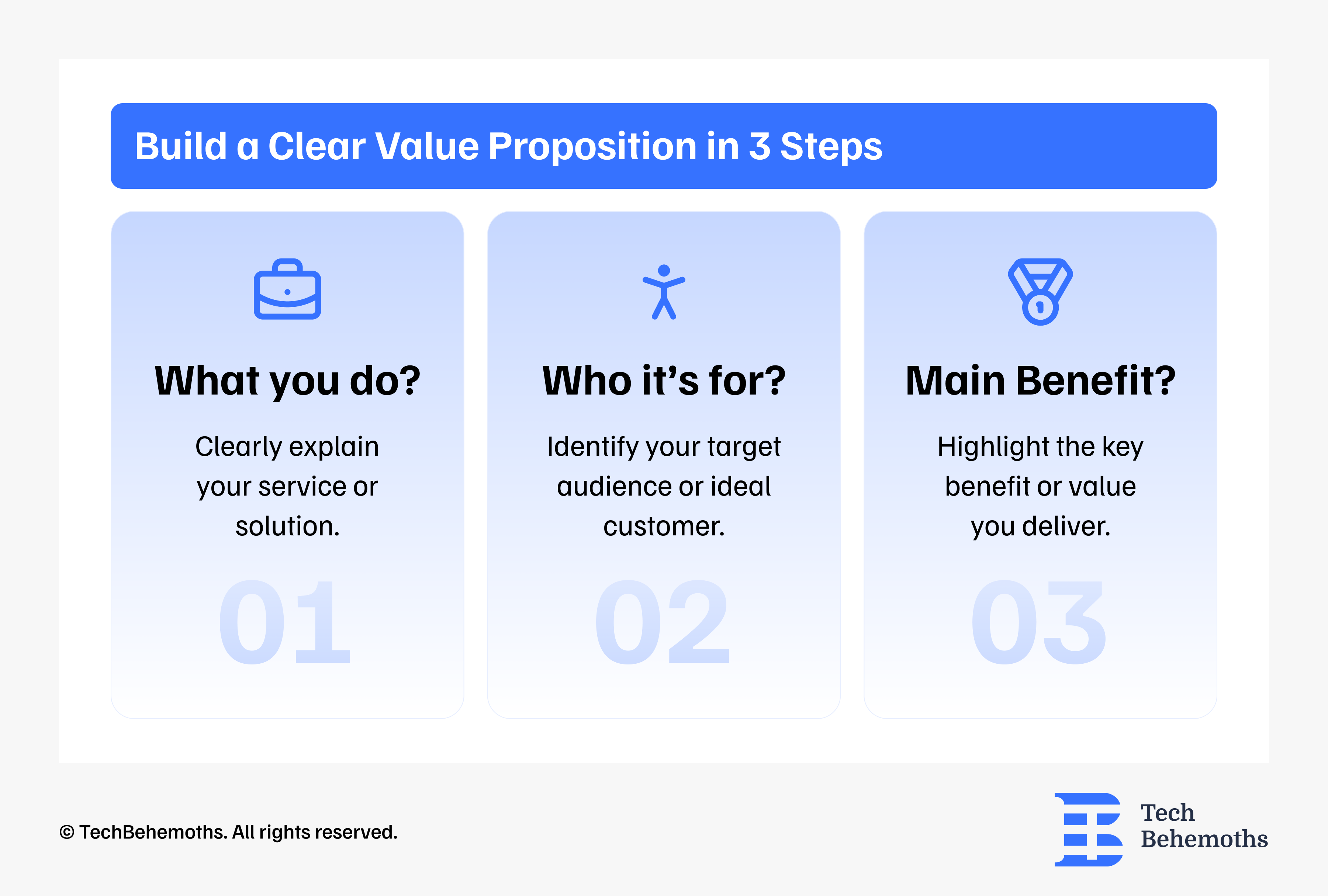
How to fix? Start with a clear value proposition that shows the benefits and answers these three questions right away.
2. No call to actions (CTAs)
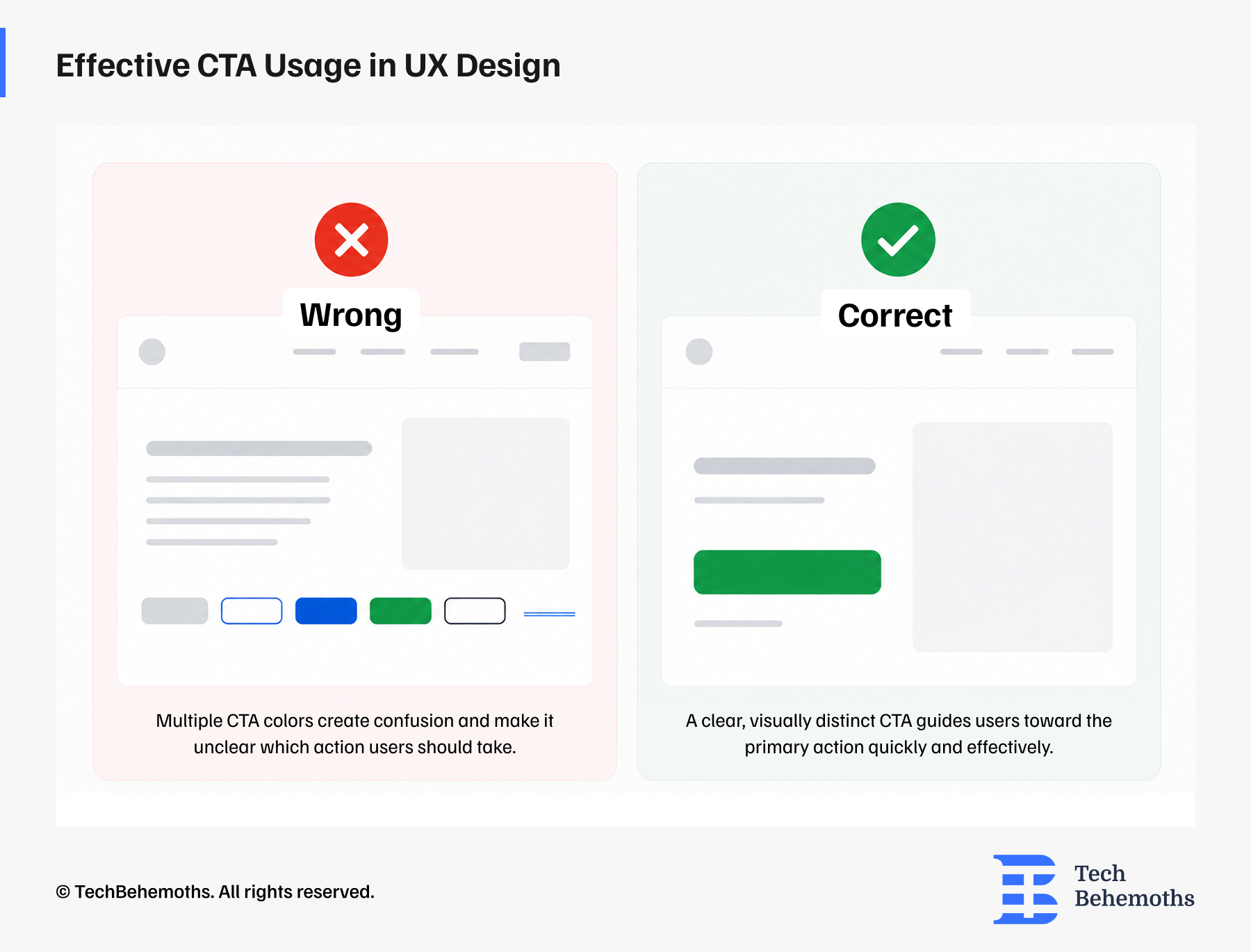
How to fix? Your service/product and other important pages should have one primary CTA, and it should be: specific, prominent, smooth/short. Example: Get a free quote.
3. Poor mobile UI/UX
How to fix? Focus on mobile-first UX design, which means designing the mobile experience first and then adapting it for the desktop experience.
4. No social proof
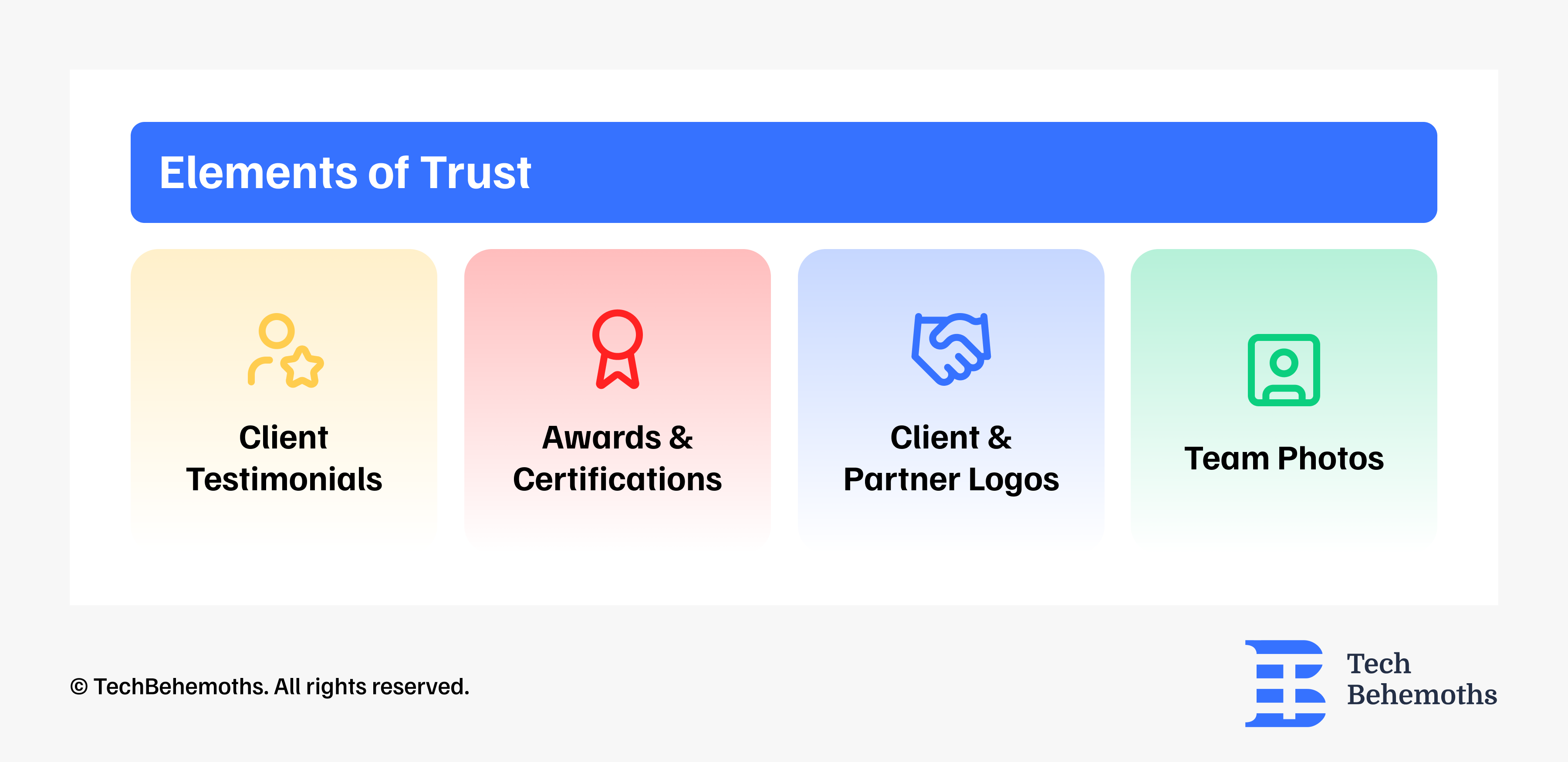
How to fix? Place trust signals throughout the conversion path: client testimonials, reviews, awards, certifications, team photos, etc.
5. Complex navigation/structure
How to fix? Simplify your navigation and content structure by limiting menu items, using plain language, making contact options visible and accessible from everywhere, using proper visual hierarchy.
6. Slow loading time
How to fix? Optimize your web pages for speed, especially for mobile devices. Use modern image formats like webp, compress images, use reliable/fast hosting, minify JavaScript/CSS, don't usee too many 3rd party services.
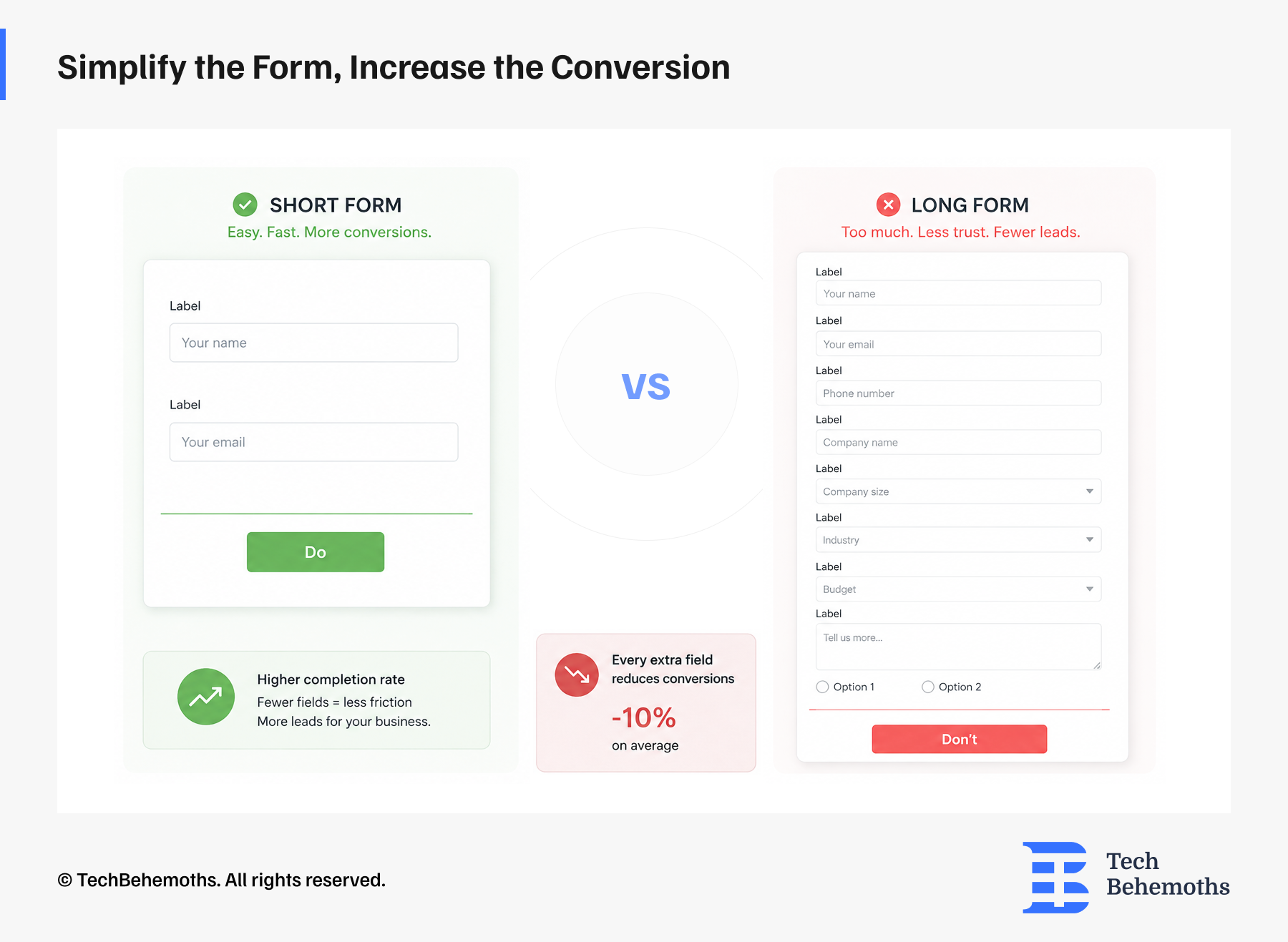
7. Too long forms
How to fix? Use the minimum required number of input fields: name, email, and one open field. Don;t overwhelm users withh too many questions and options.
How to choose the right UX/UI agency?
Choosing a UX/UI agency is a business decision with consequences that show up months after the contract is signed. Most companies evaluate agencies based solely on portfolios and presentations, which are the things easiest to polish and hardest to verify.
What separates a good hire from an expensive mistake is usually visible before you sign anything. You just have to know where to look.
How to do research UX/UI agencies, the right way
Most users go straight to the portfolio, and that's ok, but it's not the whole picture. Here are the criteria that actually matter before you reach out to anyone.
1. Portfolio, look past the aesthetics
Good UX agencies solve different problems differently.
2. Research, visuals are not enough
Any agency can show you Figma files. Ask them to walk you through how they got there. If there's no mention of user interviews, usability testing, or data, the work is decoration, not design.
3. Industry experience is useful, but not mandatory
For fintech, healthcare, or anything with compliance layers, prior domain experience saves valuable time. Sometimes, an agency coming in fresh can be the better bet, having a different perspective
4. Negative client reviews
A profile with an ideal five stars rating is worth questioning.
5. Who's exactly working on your project
The number one complaint in the agency world is the bait-and-switch, a senior partner sells the deal, but junior interns do the work. Before moving forward, ask who's actually doing the work. Thirty minutes of reference calls can save you thousands in wasted fees.
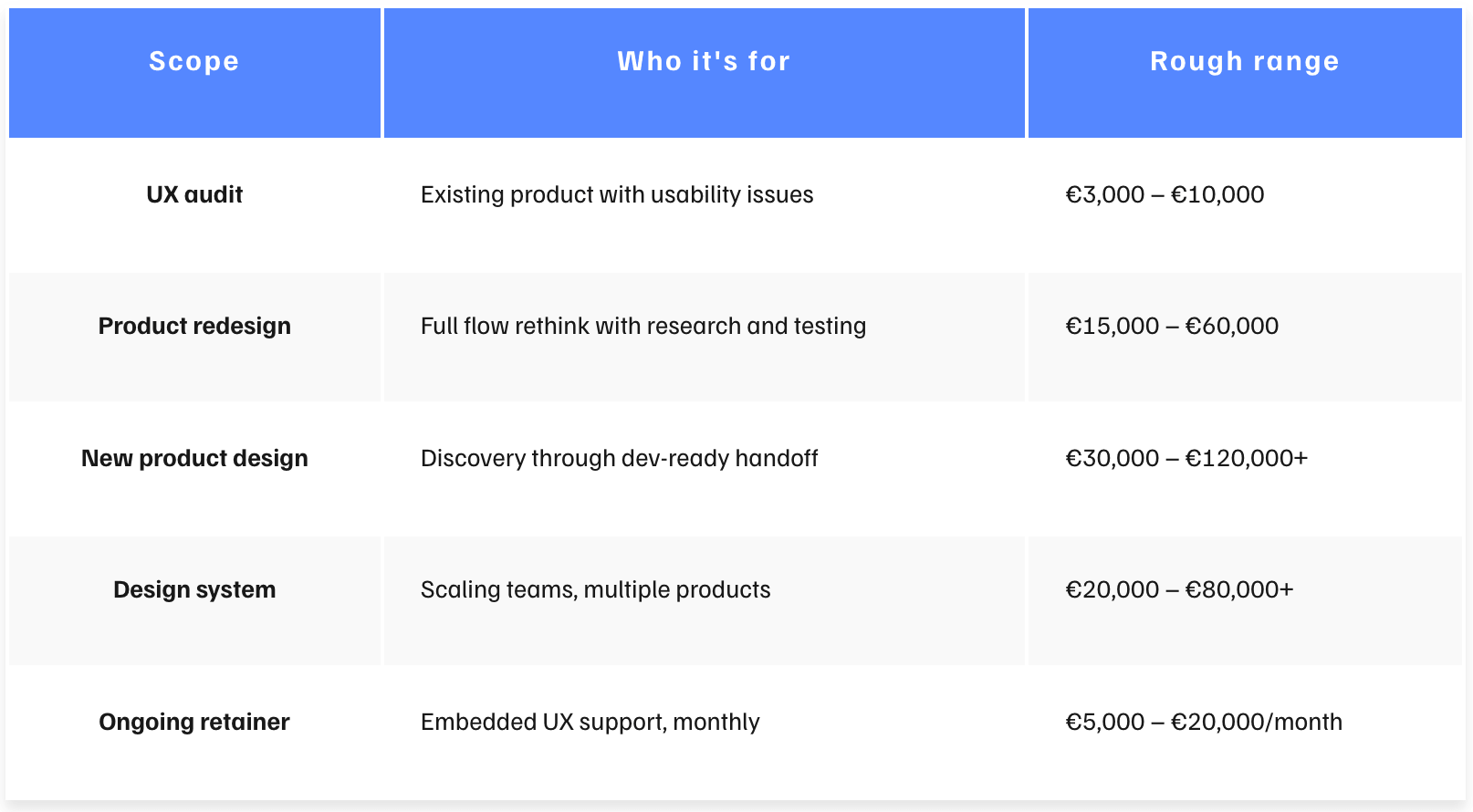
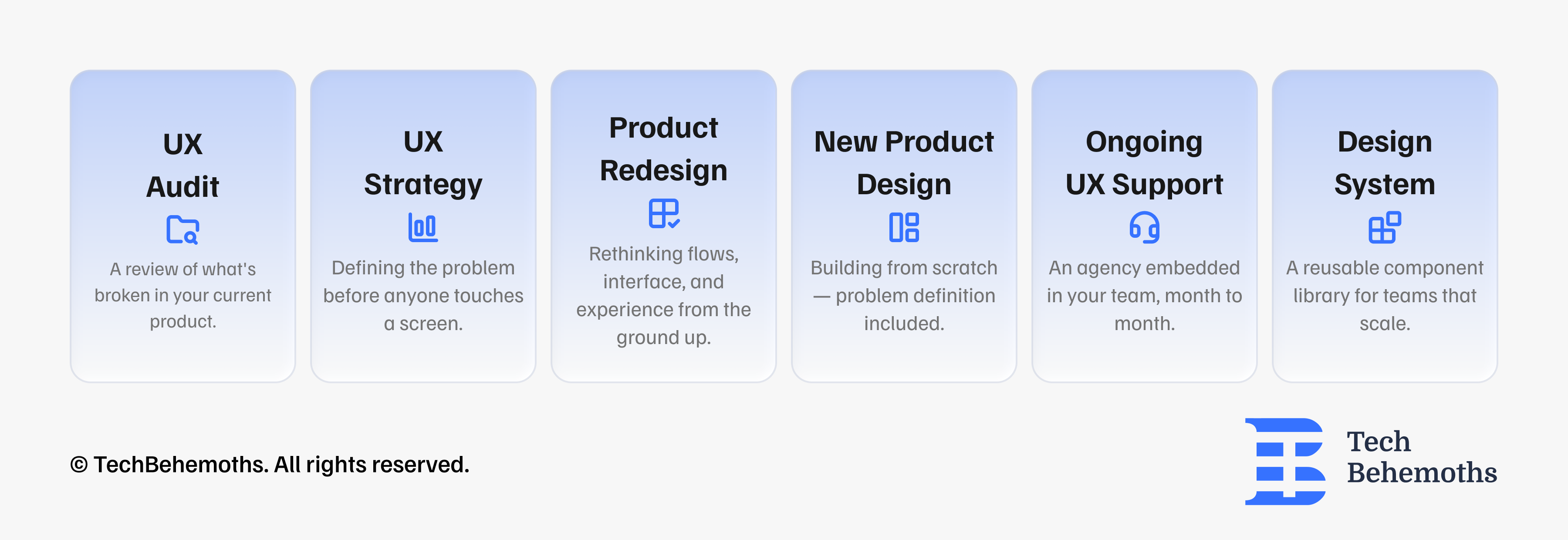
6. Not all UX/UI projects are the same
Before you talk to anyone, get specific about what you're buying. UX covers a wide range of work, and the type of agency you need depends on what the actual problem is.
Here is a set of common UX/UI tasks to keep in mind.
How to shortlist the right agencies?
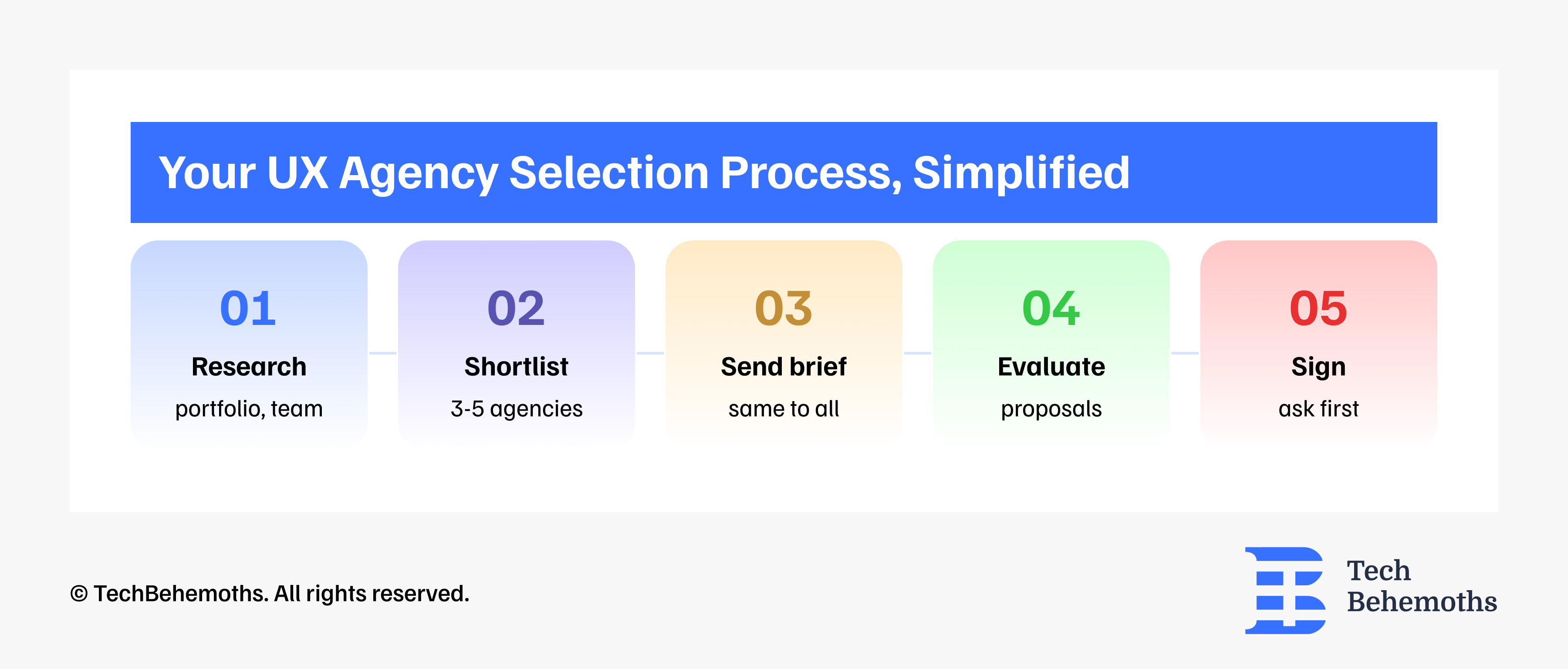
Many clients speak with 15 - 20 agencies and end up more confused than when they started. A practical approach looks like this:
-
Start with a larger pool of companies
-
Narrow it to around 10 agencies
-
Shortlist 3-5 agencies
-
Send the same brief to everyone
-
Compare proposals and communication styles
-
Choose one partner
A poorly scoped engagement can lead to a bad return/outcome. A bad agency hire costs approximately €115,000 when you calculate wasted fees, the cost of a redo, and months of lost market time.