There are 19 Companies in Costa Rica
that provide UX/UI Design Services!
Costa Rica is home to almost five million people and an active workforce that puts a great deal of emphasis on education. Costa Rica’s technology exports are high, and hundreds of technology companies have set up offices in the country. In fact, 29 of the Fortune 100 companies have operations in Costa Rica, including Amazon, Intel, Dole, P&G, Hewlett Packard Enterprise, IBM, and many more.
Discover Top IT Companies in Costa Rica specialized in UX/UI Design including Usability Testing, User Research, UX Strategy and more.
Have you ever noticed how some websites and apps just feel easier to use than others? - That's because of the UX/UI design - basically, the people who make sure everything looks good and is easy to navigate. UX/UI design services are closely connected, but they are not the same.
UI (user interface) design concentrates on visual elements. It is all about how things look and work on a product, like colors, fonts, and buttons. UX (user experience) refers to the overall experience a person has with a product – how easy it is to use the product, how it makes the user feel, and whether it is possible to easily get what is needed from it.
Handpicked companies • No obligation to hire • 100% risk-free
Featured Companies in Costa Rica
This month, the following UX/UI Design companies managed to provide an outstanding service and support. It's worth taking a look.


Heredia, Costa Rica Head office in: Chile
Desarrollando software a medida. Hoy reunimos esa experiencia en sistemas, apps, IA, facturación e integraciones para Latinoamérica.
Persistent Systems Verified Company
San Pedro, Costa Rica Head office in: India
See Beyond, Rise Above
Explore Top UX/UI Design Companies in Costa Rica

TechGropse Pvt. Ltd. Verified Company
San Jose, Costa Rica Head office in: United Arab Emirates
Techgropse is a leading Mobile App and Web Development Company, dedicated to turning innovative ideas into remarkable digital solutions. 500+ Clients

DNAMIC is an IT Consulting company with an automation mindset in Software Development, Quality Assurance, Software Testing, and Digital Production.

* We are a US-based operation team with our software engineers located in Costa Rica * We offer staff augmentation services to round out your team * W...
At Avantica, we believe technology can change the world. We are proud to be a part of this transformation, and contribute to its evolution by empoweri...
San Jose, Costa Rica Head office in: United States
We design and launch human-centered digital experiences that matter. We start by listening to you about what matters to your users and your business....

We are House of Content. A multidisciplinary agency focused on advertising strategy and content generation. Our specialty is to create strong links fo...

We are a Digital Marketing agency. We design and implement digital strategies that contribute to the commercial objectives of our clients. Nauta Digit...
Services:

We provide a strong support for companies and entrepreneurs who have the goal to propel themselves into the digital world. For each of our customers,...

Service-Oriented, Cost-Effective, Reliable, and Timely Nearshore Agile Software Development Services based in Costa Rica

Sapiens Development Verified Company
San Jose, Costa Rica Head office in: United States
Nearshore IT Solutions all over LATAM

We are Interfaz. Accelerating growth through strategic technology.


Heredia, Costa Rica Head office in: United States
We're proud to create digital solutions that give powerful results. No matter if you provide services or sell products we can help you do more of it.

Since 2009 we have supported top U.S. digital agencies in staffing their web development projects with the best talent from Latin America.
Web3 Builders and Blockchain Infrastructure, for a freer, decentralized internet.

Stateside Agency Verified Company
San Jose, Costa Rica Head office in: United States
We are an award-winning nearshore staff augmentation firm. We will help you find and manage the right technical talent for your digital team.
Filter UX/UI Design Companies in Costa Rica by Cities
Find the right tech company near you or from a specific city. Some of the best companies might be located in smaller cities.
Find more UX/UI Design companies around the world
TechBehemoths is the world's most advanced and user-friendly platform to match IT Companies with real clients without hustle.
The ICT Industry in Costa Rica: General Country Profile
The ICT Industry in Costa Rica: General Country Profile
Costa Rica is home to almost five million people and an active workforce that puts a great deal of emphasis on education. With the lofty goal of becoming a completely bilingual nation in the next decade, Costa Rica is encouraging students to pursue careers in the technology sector – and the results so far are impressive.
Costa Rica’s technology exports are high, and hundreds of technology companies have set up offices in the country. In fact, 29 of the Fortune 100 companies have operations in Costa Rica, including Amazon, Intel, Dole, P&G, Hewlett Packard Enterprise, IBM, and many more.
Why Work With Costa Rican IT Companies
According to the Global Innovation Index 2024, Costa Rica ranks sixth among the 20 economies in Latin America for entrepreneurial activity. Costa Rica is home to a highly educated workforce and attractive incentives for investors.
For these reasons, businesses across a variety of technological sectors, including manufacturing, microchips, life sciences, software, and fintech, are flourishing in Costa Rica.
What to Pay Attention to When Working With Costa Rican IT Companies
On the other hand, there are also challenges when working with Costa Rican IT companies and web agencies. Based on a report of the Canadian Trade Commission, two important issues make it somewhat difficult to work with and in the Costa Rican IT sector:
- Doing business with Costa Rican government companies tends to be slow and bureaucratic due to excessive procedures and slow decision-making.
- The agreement for the promotion and protection of investments of Chinese companies in Costa Rica, signed in 2016, could affect the investments of companies from other countries. This is supported by a Free Trade Agreement, and remains in force to this day.
How Reliable Are Costa Rican IT Companies and Web Agencies
Due to highly skilled professionals, Costa Rican IT companies and web agencies are considered an attractive opportunity for potential foreign clients in Latin America, compared to other countries in the region.
Additionally, IT companies from Costa Rica benefit from a well-developed infrastructure and provide solutions based on the latest technologies, such as AI and Data Analytics.
How Does the Costa Rican IT Infrastructure Relate to the Neighboring Countries?
Compared to the neighboring countries, Costa Rica’s IT infrastructure and industry feel much solid but at the same time bureaucratic and less accessible for the international market. For a country with less than 5 million people and 600+ IT companies operating in the sector, the industry scores a much lower growth rate per year than its capacities, and the reason may be the systematic changes in government policies towards the ICT sector, and preferential foreign agreements with other countries also related to the ICT sector.
What is UX/UI Design and what are its benefits for your projects?
Have you ever noticed how some websites and apps just feel easier to use than others? That's because of the UX/UI design - basically, the people who make sure everything looks good and is easy to navigate.
UX/UI design services are closely connected, but they are not the same. They are actually about different parts of the design and to be effective they must work together.
-
UI (user interface) design concentrates on visual elements. It is all about how things look and work on a product, like colors, fonts, and buttons.
-
UX (user experience) refers to the overall experience a person has with a product - how easy it is to use the product, how it makes the user feel, and whether it is possible to easily get what is needed from it.
According to research conducted by Forrester, a well-designed user interface (UI) can increase a website's conversion rate by 200%, whereas a better user experience (UX) design could raise it by up to 400%.
In this connection, the importance of UX/UI Design cannot be overstated. Nowadays users have high expectations for the products they use, if a product is not easy to use or enjoyable, users will quickly abandon it.
UX/UI design can help:
-
Enhance user satisfaction
-
Reduce bounce rates
-
Lead to higher customer retention and revenue
UX Design has also an important role in Inclusive Government Design, which makes government services accessible and user-friendly for diverse and marginalized communities.
But how do choose the right UX/UI Company?
-
Review the company's portfolio and make sure they have experience in your industry
-
Look for companies that understand your target audience to meet their needs.
-
Inquire about their design process: research, wireframing, prototyping, and testing.
-
Choose a company that maintains transparent and open communication and keeps you involved throughout the design process.
-
Read client reviews to check their reputation and client satisfaction.
-
A good design company should be up-to-date with the latest design trends and technologies.
Taking into consideration all these tips you will manage to select the right UX/UI Design Company that will help to achieve your goals.
There are over 13,800 UX/UI Design companies on TechBehemoths platform. Check their profiles, their strong portfolios, and previous clients' reviews before you make a decision. With the help of smart filters, you can easily find suitable partners to deliver exceptional digital experiences. Alternatively, you can submit your project, and the system will find the best match on your behalf.
UI/UX design in the AI era
As AI tools evolve and become more capable of prototyping and designing layouts, the human/emotional aspect will become even more important. AI can't experience and tell and illustrate personal stories, while UI/UX designers can. This human/personal touch will become a valuable part of UI/UX work.
You can interact with the web in multiple ways: using text, voice, images, videos, VR, etc. All these require user interfaces adapted to different needs and scenarios. Professional design agencies should be able to deliver interfaces and UX for multiple interaction modes and devices like smartphones, VR headsets, smart glasses, etc.
The importance of UI/UX for your leads/sales
Lots of websites lose their visitors without a single click. Poor UX design is almost always the reason, and most business owners don't even know where the problem is.
On average, websites convert only 2–3% of visitors. This means the majority of visitors land on a site, browse for a few seconds, and leave without taking any action. Business owners express this as one of their most common frustrations.
How to solve this problem?
The answer is simple: make it easy for visitors to take desired actions on your website, such as viewing a product page or service, completing a purchase, or downloading a resource.
Your website should communicate effectively, guide users, and convince them to take a specific action.
Why your website doesn't convert
There might be multiple reasons, but here are the most common ones + some tips on how to improve your UX to convert visits into leads/conversions.
1. The first seconds count
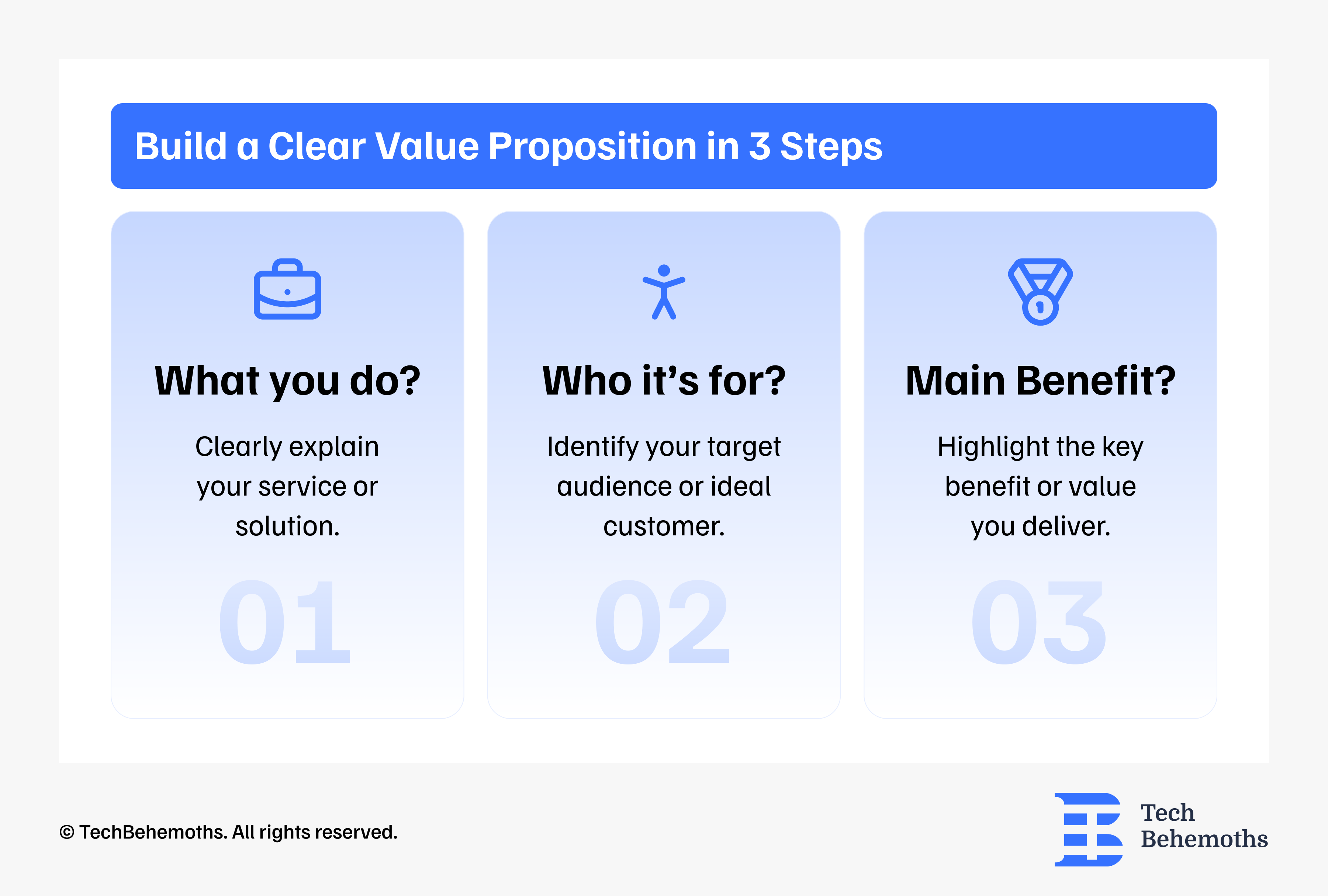
How to fix? Start with a clear value proposition that shows the benefits and answers these three questions right away.
2. No call to actions (CTAs)
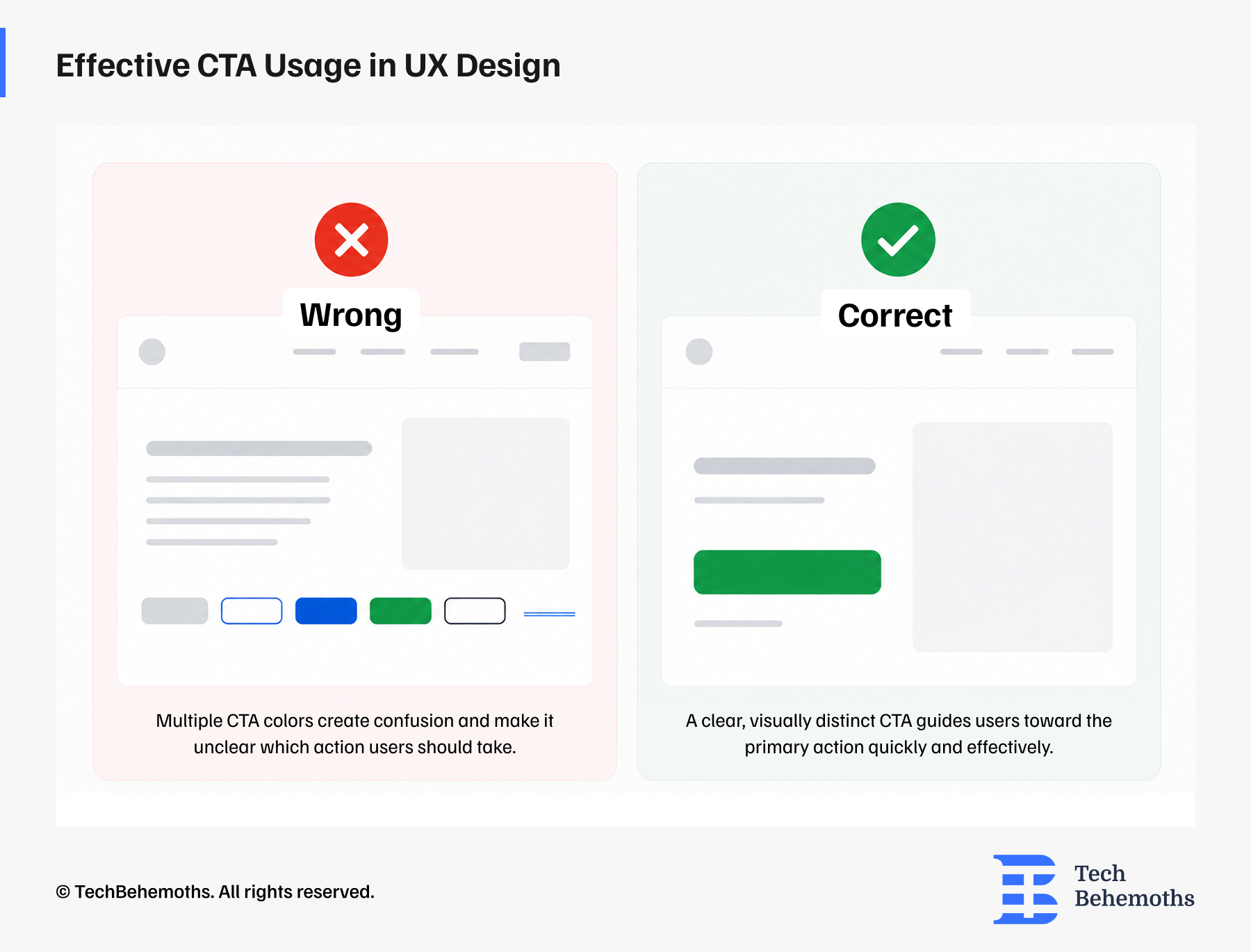
How to fix? Your service/product and other important pages should have one primary CTA, and it should be: specific, prominent, smooth/short. Example: Get a free quote.
3. Poor mobile UI/UX
How to fix? Focus on mobile-first UX design, which means designing the mobile experience first and then adapting it for the desktop experience.
4. No social proof
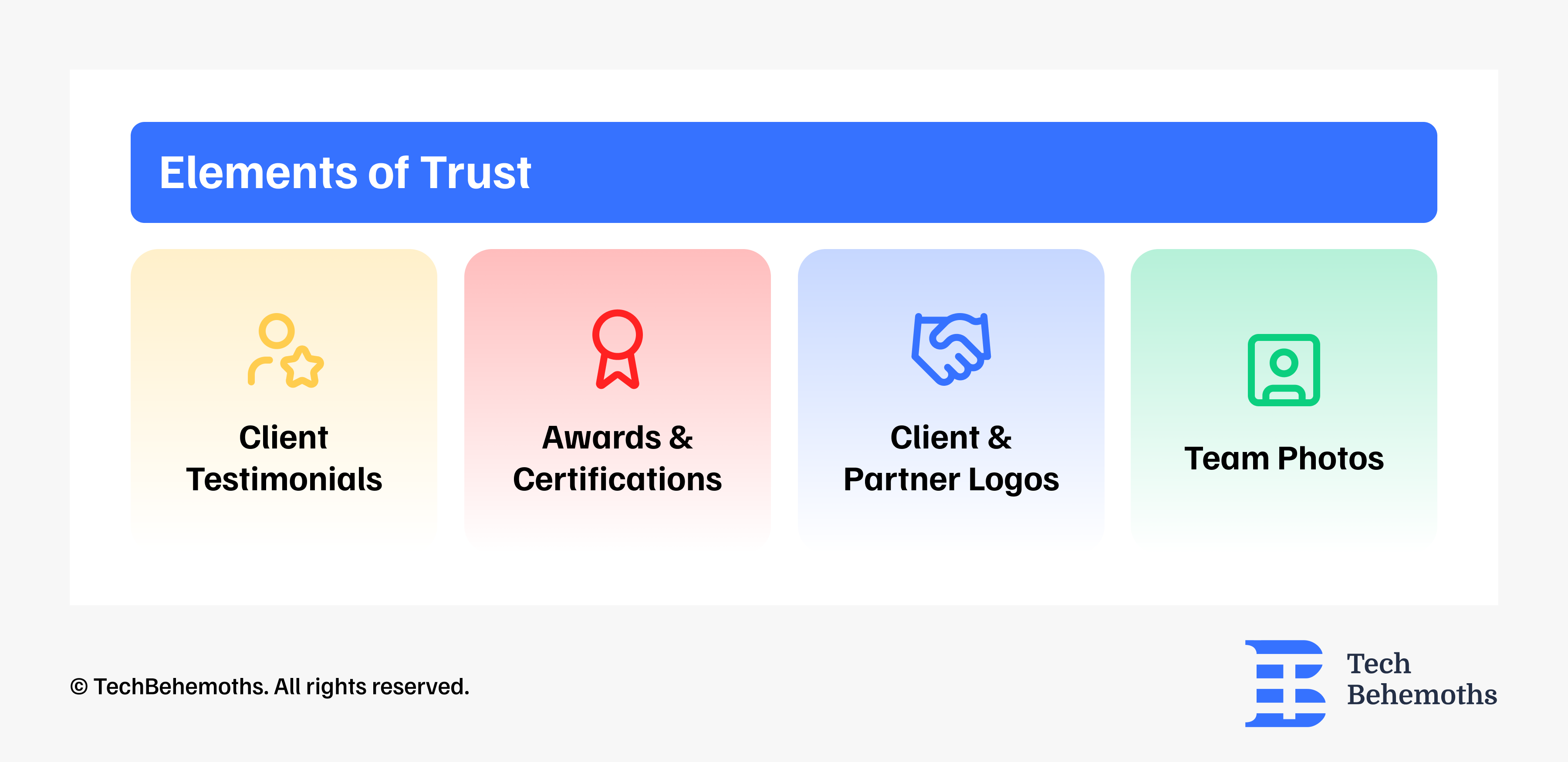
How to fix? Place trust signals throughout the conversion path: client testimonials, reviews, awards, certifications, team photos, etc.
5. Complex navigation/structure
How to fix? Simplify your navigation and content structure by limiting menu items, using plain language, making contact options visible and accessible from everywhere, using proper visual hierarchy.
6. Slow loading time
How to fix? Optimize your web pages for speed, especially for mobile devices. Use modern image formats like webp, compress images, use reliable/fast hosting, minify JavaScript/CSS, don't usee too many 3rd party services.
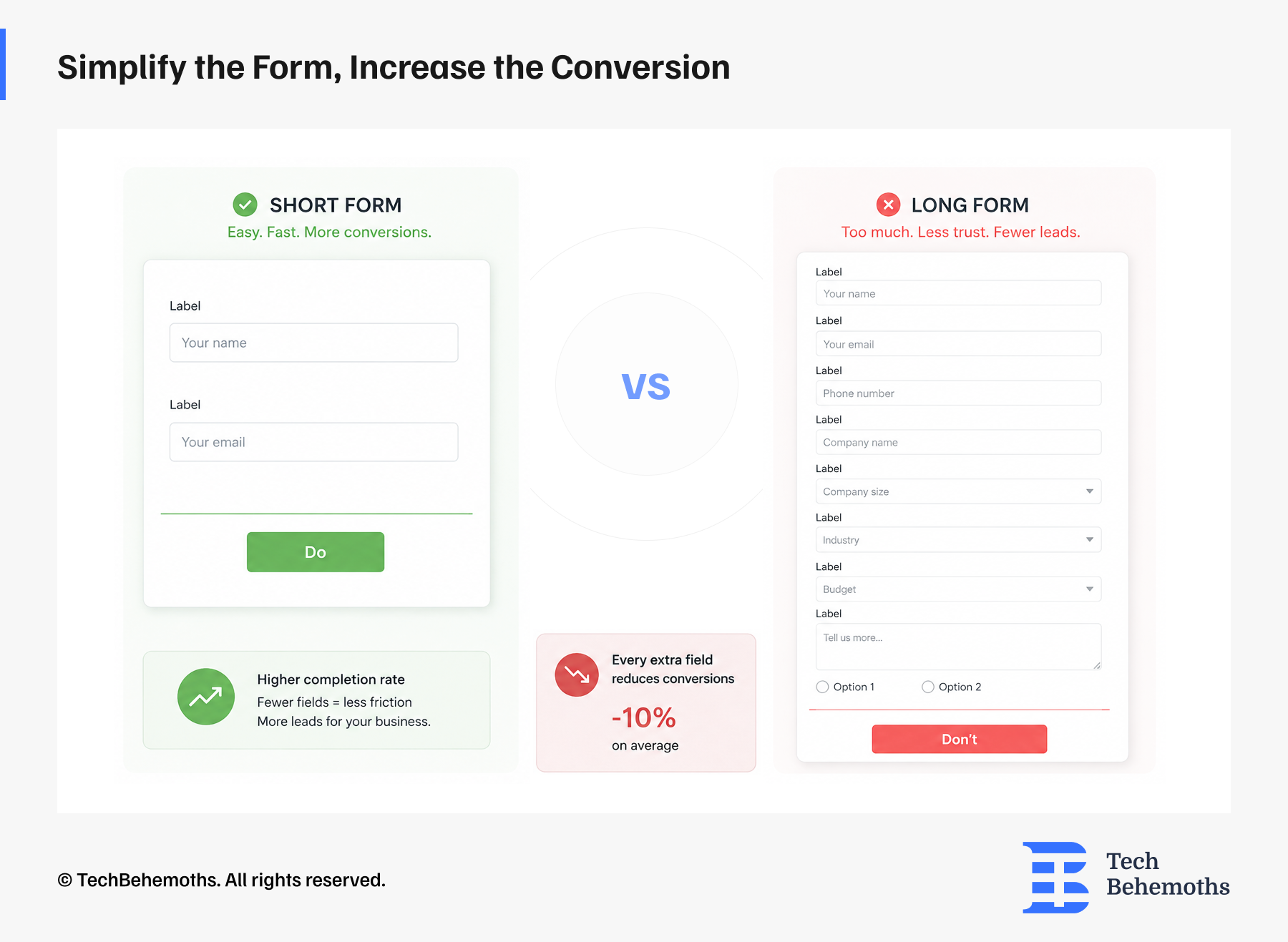
7. Too long forms
How to fix? Use the minimum required number of input fields: name, email, and one open field. Don;t overwhelm users withh too many questions and options.
How to choose the right UX/UI agency?
Choosing a UX/UI agency is a business decision with consequences that show up months after the contract is signed. Most companies evaluate agencies based solely on portfolios and presentations, which are the things easiest to polish and hardest to verify.
What separates a good hire from an expensive mistake is usually visible before you sign anything. You just have to know where to look.
How to do research UX/UI agencies, the right way
Most users go straight to the portfolio, and that's ok, but it's not the whole picture. Here are the criteria that actually matter before you reach out to anyone.
1. Portfolio, look past the aesthetics
Good UX agencies solve different problems differently.
2. Research, visuals are not enough
Any agency can show you Figma files. Ask them to walk you through how they got there. If there's no mention of user interviews, usability testing, or data, the work is decoration, not design.
3. Industry experience is useful, but not mandatory
For fintech, healthcare, or anything with compliance layers, prior domain experience saves valuable time. Sometimes, an agency coming in fresh can be the better bet, having a different perspective
4. Negative client reviews
A profile with an ideal five stars rating is worth questioning.
5. Who's exactly working on your project
The number one complaint in the agency world is the bait-and-switch, a senior partner sells the deal, but junior interns do the work. Before moving forward, ask who's actually doing the work. Thirty minutes of reference calls can save you thousands in wasted fees.
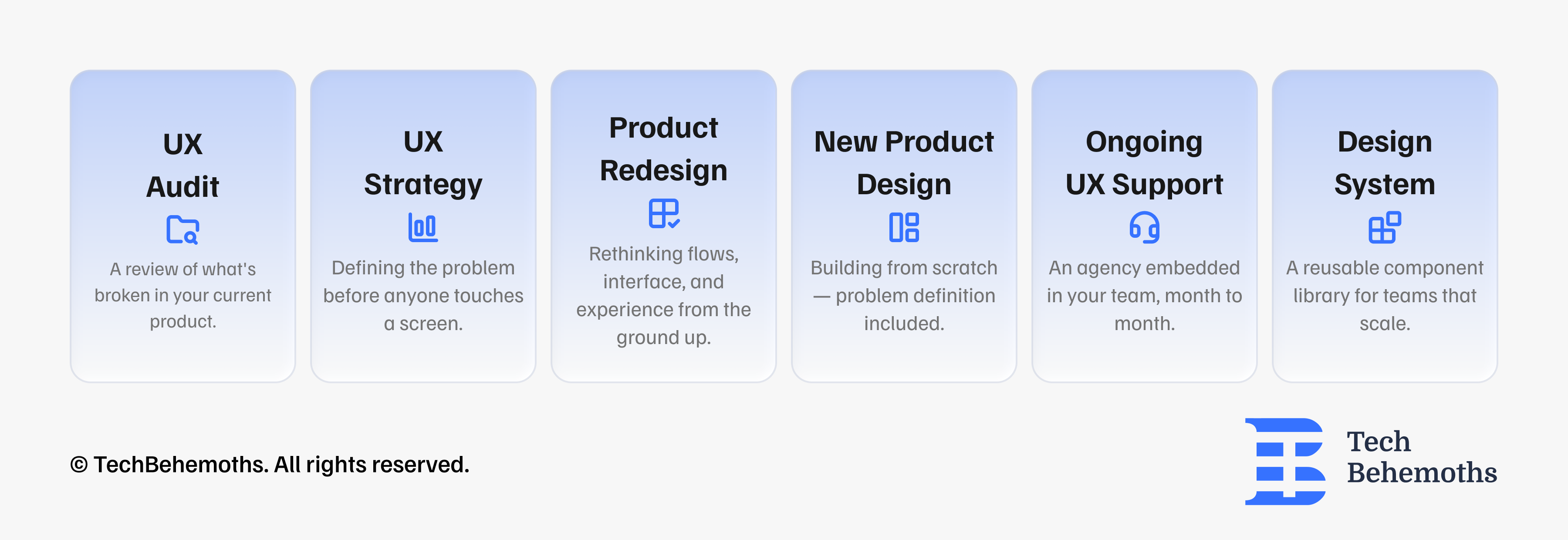
6. Not all UX/UI projects are the same
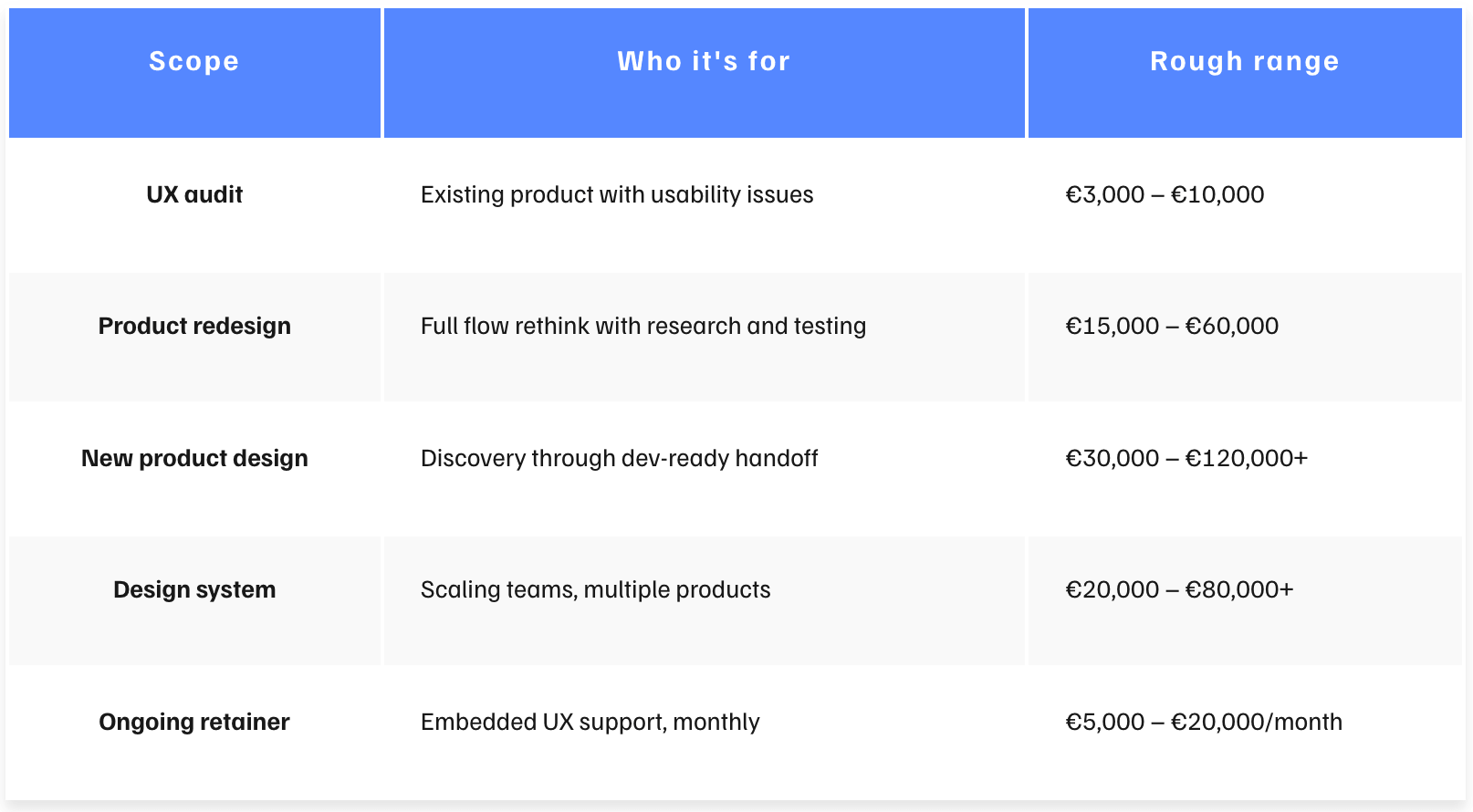
Before you talk to anyone, get specific about what you're buying. UX covers a wide range of work, and the type of agency you need depends on what the actual problem is.
Here is a set of common UX/UI tasks to keep in mind.
How to shortlist the right agencies?
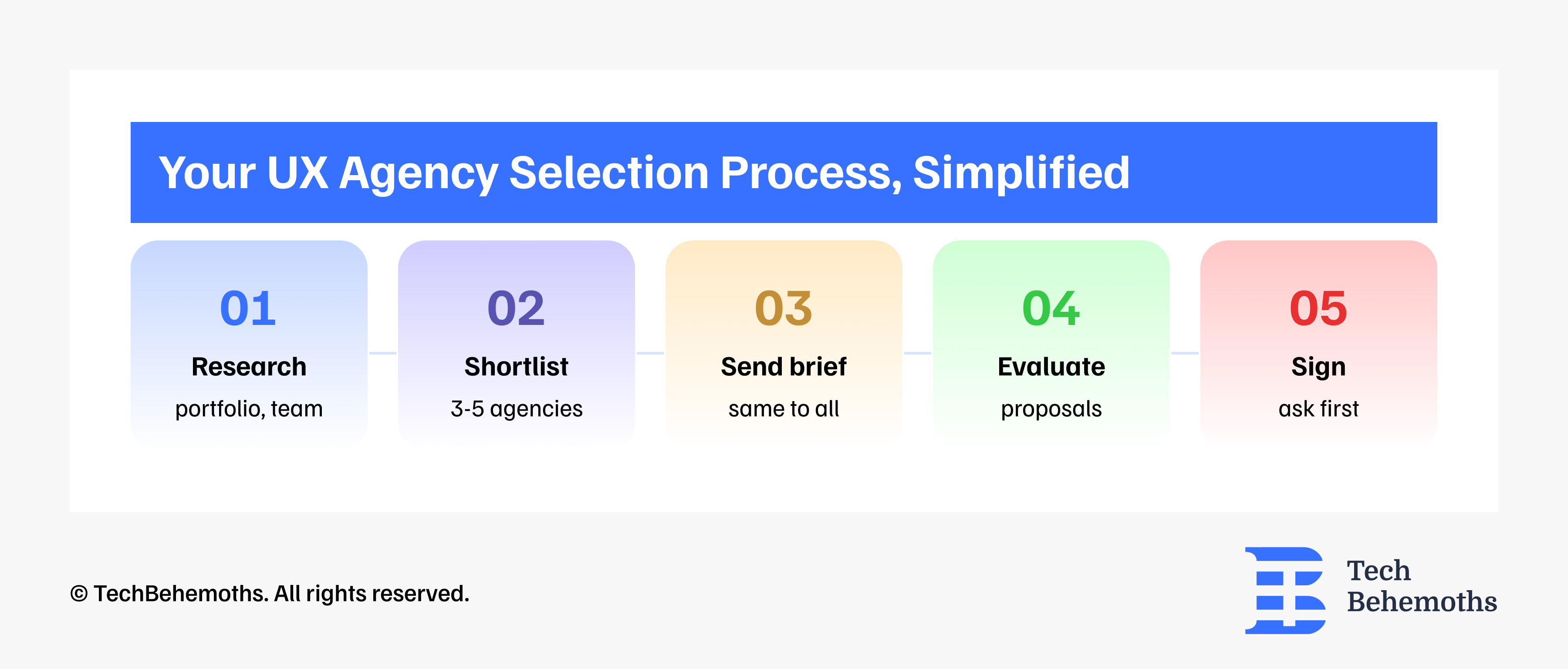
Many clients speak with 15 - 20 agencies and end up more confused than when they started. A practical approach looks like this:
-
Start with a larger pool of companies
-
Narrow it to around 10 agencies
-
Shortlist 3-5 agencies
-
Send the same brief to everyone
-
Compare proposals and communication styles
-
Choose one partner
A poorly scoped engagement can lead to a bad return/outcome. A bad agency hire costs approximately €115,000 when you calculate wasted fees, the cost of a redo, and months of lost market time.